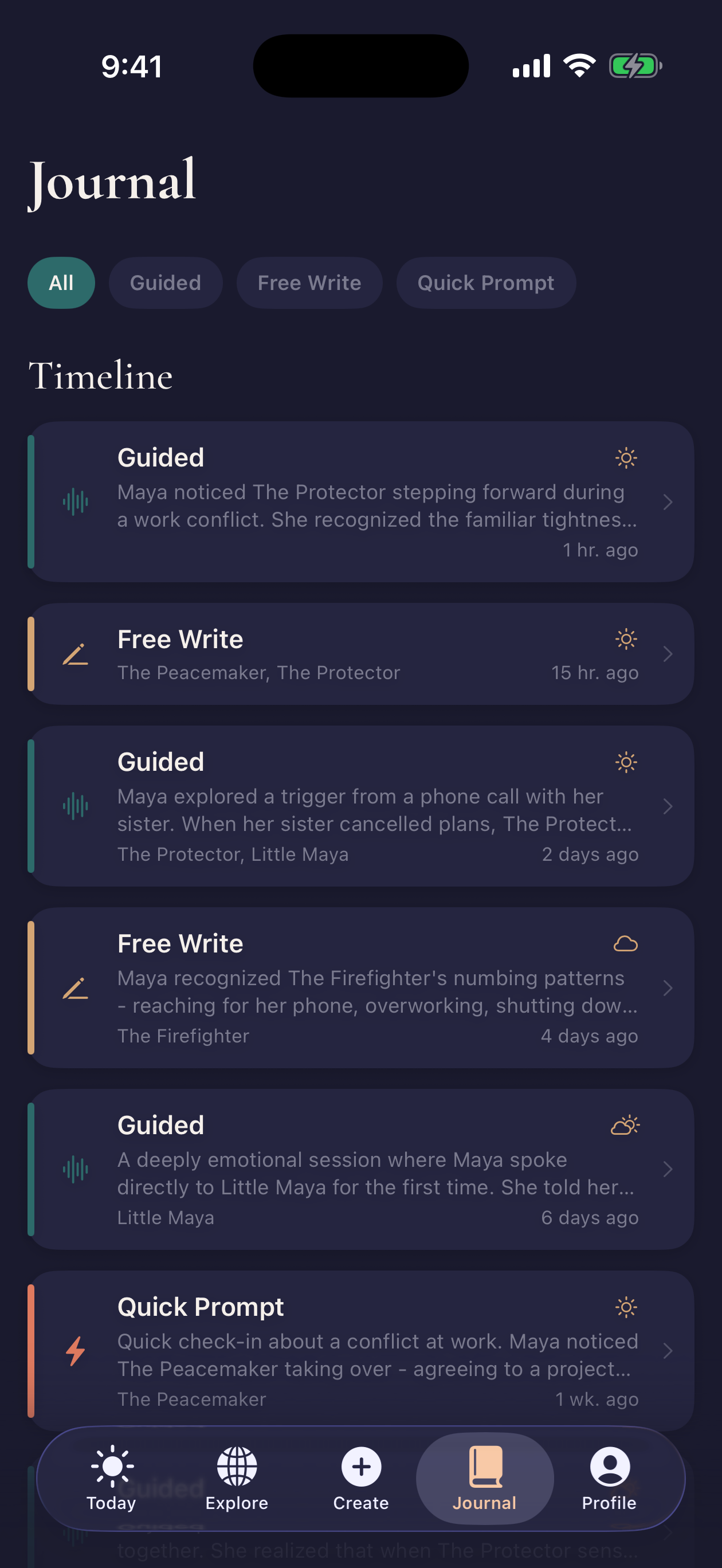
A blank journal is enough for shadow work. Imago is for the moments when the blank page is the problem, or when a useful insight disappears because you cannot find the entry two weeks later.
Before you choose an app
Compare Imago with the alternatives
App Store stars show broad user sentiment. The approach tells you whether an app is built for the kind of reflection you want to continue.
| Alternative | US App Store | Different focus |
|---|---|---|
| Mindberg | 4.67/5 · 337 ratings | People who want a Jungian profile and a structured daily path for shadow work. |
| Rewire | 4.68/5 · 360 ratings | People looking for practical CBT/DBT exercises and emotional check-ins. |
| Betwixt | 4.87/5 · 3,215 ratings | People who want an immersive, creative, and game-like route into self-reflection. |
| Shadow Work: Oracle Journal | 4.79/5 · 14 ratings | People drawn to a ritual-oriented, oracle-card approach to shadow journaling. |
What happens in your first five minutes
- Choose what is active. Start a guided session, record a check-in, or open the journal.
- Describe the moment. Write about a trigger, thought, relationship pattern, or part you keep noticing.
- Follow one question. Imago asks a follow-up based on the session instead of handing you an unrelated prompt.
- Name a part if it helps. Save a critic, protector, younger part, or your own label for the pattern.
- Keep the record. Return to the entry and related part when the pattern appears again.
You decide what to record. The app can suggest language, but a generated interpretation is not a diagnosis or a fact about your history.
What the app includes
Guided sessions
Work through a trigger, meet a part, or write with an inner-child prompt using questions that respond to the current session.
Parts map
Name the protective and vulnerable parts you notice, add your own description, and return to them later.
Daily check-ins
Record your mood and the part that feels active without committing to a long journal entry.
Continuing journal
Keep sessions and reflections together so you can compare what you wrote across days.
How it differs from paper and general journal apps
Paper is private, flexible, and free. It also leaves every connection to you. A general notes app adds search but does not know that the "competent one" in Tuesday's entry is the same part you named last month.
Imago adds structure around those connections. Check-ins can lead into a session. A session can add context to a named part. Later entries can return to that part without asking you to reconstruct the story.
That structure is only useful if it fits how you think. If a blank notebook already works, keep it. If you want free exercises before downloading anything, start with the shadow work exercises guide or the journal prompts.
Try Imago on iPhone
Download Imago and see whether guided questions, parts mapping, and a continuing journal fit the way you reflect.

What happens to your journal data
Journal entries are stored on encrypted servers and tied to your account so they can sync across devices. Imago does not sell journal content or use it to train AI models.
Guided sessions send the content listed in the privacy policy to Anthropic through OpenRouter for real-time processing. Optional Journal Memory processes completed session material to create editable records for continuity. You can pause memory, remove individual records, clear it, export your data, or delete your account.
These details matter more than a vague "private" badge. Read the current privacy policy before entering information you would not want processed by the disclosed providers.
Who Imago fits
Imago may fit adults who want a guided, self-paced journal and already think in terms of triggers, parts, inner-child work, or repeating patterns. It may also help when you start many entries but have trouble connecting them later.
It is not built for emergencies, diagnosis, or treatment. If reflection regularly brings up traumatic material, dissociation, self-harm thoughts, or distress you cannot contain, use qualified support rather than pushing through another session.
Pricing and availability
Imago is available for iPhone. It is free to download and includes in-app purchases. Offers, trials, and regional prices can change, so the App Store listing and purchase screen are the current sources.
Frequently asked questions
What is Imago?
Is Imago a free shadow work app?
Is Imago therapy?
Does Imago use journal entries to train AI?
Can I delete or export my journal?
Imago is a self-guided journal. It is not medical advice, diagnosis, treatment, or crisis care.